Ask Jade
To make learning and using Xojo easier, Xojo has an AI-based Just-In-Time Assistant for Development & Engineering or Jade for short.
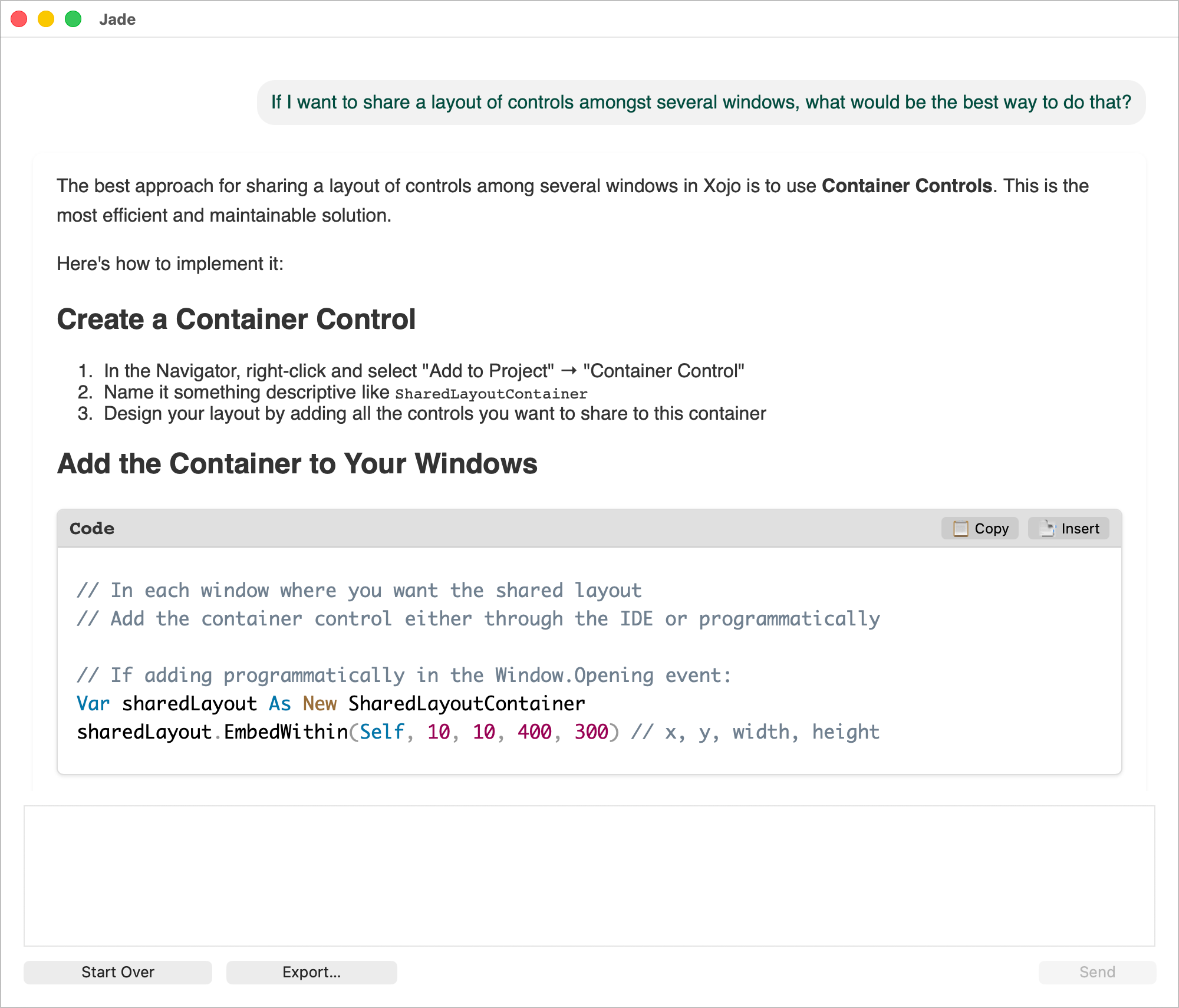
Jade can answer questions about:
Using Xojo
Getting started with Xojo
Learning how to code
Debugging code
And much more
It also can:
Give you specific instructions on how to use the Xojo IDE
Write code for you
Debug your code
And much more
Getting started with Jade
Jade uses the Anthropic Claude AI engine. To use Jade, you'll need to create an account with Anthropic and then get an API key:
Go to the Anthropic console page and create an account then login.
Click the Get API Key button.
A dialog will appear asking you to give the new API key a name. Do so then click the Create Key button.
The Save Your API Key dialog will appear. Use the Copy button to copy your API Key to the clipboard.
Click the Continue button.
Important
You must have credits in your Claude account to use Jade.
Once you have your API key:
Open Xojo's Settings window.
On the General tab, paste your API Key in the Anthropic API Key field.
Close the Settings window.
Asking Jade questions
To open the Ask Jade window, click the Ask Jade button in the main Xojo toolbar or choose Help > Ask Jade.
Asking Jade questions could not be easier. In the Ask Jade window, simply type your questions in the text area at the bottom then press the Return key or the Send button.
Type your questions in whatever is the most natural way for you. Jade will likely understand and give you a very specific answer.
Getting code in and out of Jade
Jade can write code for you. When you ask, Jade will put the code in a Code pane inside the Jade window. At the top of the pane are two buttons: Copy and Insert. Copy will copy the code to the clipboard. Insert will insert the code into whatever method is currently selected in the Xojo IDE. If no method is selected, Jade will do nothing. Jade only copies the contents of the method. You will need to name the method and copy over the parameters yourself. This is temporary. Jade will continue to improve in future releases of Xojo, doing more and more automatically.
Did Jade get something wrong?
Jade is very smart but not perfect. Should Jade get something wrong, you can help us improve Jade by reporting the issue to us via our issue tracking system:
Go to our issue tracking system. Use your Xojo account user name and password to login if necessary.
In the Title field, make sure to mention Jade. That helps us find these issues quickly.
In the Description field, make sure to include the full text of what you sent Jade and what Jade sent back. Let us know what you think went wrong and what you were expecting.
Your feedback will help make Jade even better. Jade is also a live, online tool which means we can improve Jade at any time without having to ship a new version of Xojo to do so.